Apple offers in its virtual store an increasing number of programs without cost for its movable telephone; also they are compatible with iPod Touch. They take advantage of the sensible screen to the tact and the accelerometer to add functions to the equipment.
n last June, Apple inaugurated App Store, the store with which offers applications for iPhone and iPod Touch. It is the unique official method to add tools to these equipment, and has been very popular: already there are ten thousand applications available in this service; many are payments, but there is a great number of programs free available to unload and to make the device more useful.
The installation process is very simple. When connecting for the first time the equipment to iTunes (the software of management of the device, unloading of www.apple.com/la/itunes/) the application will offer the access to the store, call there iTunes Store. In order to unload the applications it will be necessary to register itself. It is enough with a valid direction of electronic mail and a password. If it is desired to acquire programs it will be necessary to have a credit card of international validation.
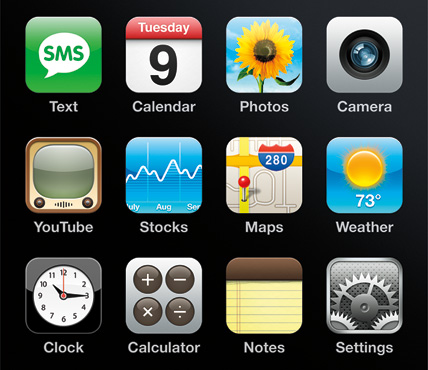
The store offers a cover that lists recommended and popular applications, besides including a finder and a directory with the programs organized by subject. When choosing an application will be necessary to click on the button Get App to initiate the unloading to the computer, that soon will install the application in the equipment. Attractive of iPhone and iPod Touch is that also they can accede to the store from the same equipment, whenever they have a connection to Internet, beating the icon App Store. Here, to unload an application one is due to beat on the virtual button that says to Free or its price, according to is the case, and soon in Install; this will initiate the unloading of the application to the device. The applications eliminate of the device using iTunes or pressing in continuous form (in iPhone or iPod Touch) the icon of the application until this one shakes and it appears to him a button with an X alongside.
In www.148apps.com and www.freshapps.com there are reviews of the applications approved by Apple. In addition, an increasing number of applications nonapproved exists that, for his installation, they require to unblock the operating system (a denominated process jailbreak); this method annuls the guarantee of the equipment and can damage it, reason why he is not recommendable for nonexpert users.
Between the programs available in the store of Apple they stand out, first, the tools that were born in other platforms and that have their version here; for example, Fring, that allows to chatear and to do calls of voice on IP using the networks of Skype, Windows Live Messenger, Google Talk and Yahoo Messenger, among others. Other messengers, like Nimbuzz, Palringo or IM+ (this last one does not require to register itself), also are available. In addition, Shozu allows to in line raise content several albums, like Flickr, Picasa Web or blogs of all type. And Google offers a version of its globe, Google Earth, that runs in iPhone.
Between the free more recommendable applications to install in the equipment they are Remote, that allows to control the reproduction of content in iTunes being used iPhone or iPod Touch like remote control. The developers of the VLC also offer their VLC Remote (there is a version free, something limited, and one pays).
Although the equipment already includes an application that reports the weather conditions (the present temperature, the prognosis for the following days), as much The Weather Chanel as Accuweather and WeatherBug offers their own versions, with more satelite information, photos and others.
Also Facebook, MySpace and LinkedIn have an application available with the name of the social network, to see and to update the own profile and to accede to the content that the friendly generate. They are very complete versions: they allow to see photos, to leave commentaries and to validate invitations.
Among others applications to emphasize are Light, that it puts in target the screen to use the lantern equipment; Stanza (an electronic book reader, including which they are available in the Gutenberg Project); TouchCalc (a scientific calculator), and LockBox, to create a encriptada area where to store confidential information. WiFinder, on the other hand, analyzes the near Wi-Fi networks to see which allows a connection to Internet.
Also it is Wikipanion, to accede in movable form to the contents of the Wikipedia; MultiConvert, a converter of units of measurement (temperature, volume, distance, et cetera), or MightyDocs, that allows to have a copy of a document of Google Docs even though is not counted on a connection to Internet. Meanwhile, with XL you notice is possible to create notes using the equipment in oblong form, to take advantage of the so large major the keyboard, and Firemail offers something similar, but with the electronic mail. Taking advantage of the sensible screen to the tact, WritePad allows to write by hand raised (the application even offers text recognition for the outlines), and Scribble, to draw with the finger. And considering the accelerometer of the equipment (that detects the inclination of this one) it is that iHandy Level was created, a level that allows to determine if a surface is horizontal.
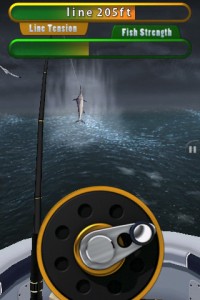
The accelerometer also is crucial for games like Labyrinth HIM, in which there is to incline the equipment to help a small ball to draw for a series of obstacles, or JellyCar, the well-known game in Flash that now works in iPod Touch and iPhone. Also, infaltable, a clone of the Arkanoid like Blocks Classic Lite; arcade of adventures like Rick Rocketson; reMovem, in which there is to release the screen of contiguous balls of color, or Feint Aurora, one of the first games in being popular in iPhone, and in which there is to move the pieces to join them with others of his type (in the style of the Bejeweled). By all means, it could not lack in ready APT APT Revenge, the version for touch screen of the Guitar Hero: it is necessary to touch the screen to the rate of the lights.
Although it is not free, it deserves a mention the game Trick, created by the Argentine programmers behind the company Odasoft (www.odasoft.net), and that already is available in the store of Apple to have a little Argentine code in iPhone.

 Skies is an application for ours iPhone/iPod touch that will indicate the cleared thing to us that the sky in a rank of 6 days is from the present date. If you like astronomy, surely you like this application.