
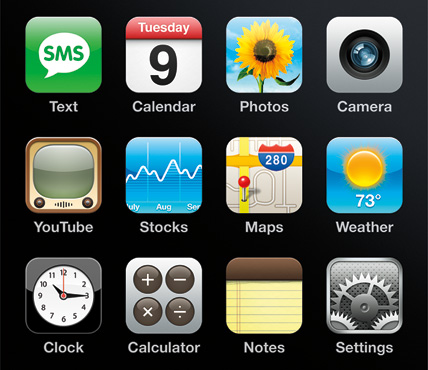
 The possessors of iPhone or iPod touch, besides enjoying them as simple form as to touch the touch screen with a finger, has many more combinations to take a short cut helped of bellboys and fingers.
Although not is the same telephone of Apple iPhone that his reproductive multimedia iPod touch, if it is certain that they share many things, from his similar design to the touch screen, passing of course, through the operating system and many of the programs that use both. But it is not necessary to forget that one is a telephone (and 3G) and the other no, and so the connections to the different networks can vary substantially, in addition are several models (generations call to them) of both. In any case, the majority of short cuts and ways to make the things, that I am going to expose next, usually are common to all the models, whenever they have installed the last update.
iTUNES
Of all it is known that iTunes is the program of Apple necessary to communicate with anyone of them and to conduct any battle. Although, everything is necessary to say it, is one that uses other tools not so officials to take control of the control of the apparatus. In this case, it is possible that many can be done more things, some of different form and other that do not work equal, but in spite of it, the majority of short cuts and recommendations are effective. And to begin the best thing it is to bring up to date itself, connecting themselves to iTunes and updating it everything. In this way two very important things are obtained, the update of all the system in himself (goes by the 2,2) and one backup of the majority of the adjustments of iPhone or iPod touch, as they are the unloaded applications and another information like contacts, calendars, notes, and images in the photographic roll. But much eye, music, the video and the other photographies are not included in that copy, will have to keep them from another form. If it wishes to recover the backup, more click, or click with the right button makes Control, in the icon with form of iPhone or iPod touch located to the left of the window of iTunes and selects Backup or To recover backup.
Copy Screen
One of the resources that I use more in this section are the copy screen calls, or the capture of an image than has in the screen. When a computer is used, the own system usually brings some application and some short cut of the keyboard to do it. In this case, to make a capture also there is a short cut, one is due to maintain pressed the beginning button and at the same time to press the rest button/activation. As a confirmation, the screen goes to make a sparkle of white color and soon it will return to normality. All the screen captures are stored automatically and been able to see in the album Photos kept from the application Photos. If soon they are sent by electronic mail, will arrive in format jpg.
MOST BASIC
Thanks to their touch screen, all the actions are realised touching the screen with one or more fingers and pressing one or two of the bellboys of beginning and rest and/or activation. Most elementary it is, once ignited, to be called on upon the icon of the application that is desired to activate, and soon to follow the same process to be abriendo the different sections. Another basic function is the one to extend or to reduce what it is, abriendo or closing two thumbs put and index as a a tiny amount. In order to move by a coarse screen with moving the so fast or slow finger as it is desired. But more express can be gone. For example, if you want to extend of fast form an area of a page Web, simply it makes a double touches in that area. If it wants to only go quickly at the beginning of the page it must give to a touch in the part superior of his screen right under the clock. If it maintains the finger upon a connection, a ventanita transparency with the destiny direction will be abrirá to him.
TO CLOSE IT EVERYTHING
Sometimes several applications are being used although in the screen only is the last one activated. If one forgets that they are working and they are not closed, they will consume more energy and the battery will finish before. In order to leave all, simply it is necessary to maintain pressed the central button during seconds until it returns to appear the screen of beginning. In opposed sense, if the button is pressed twice consecutive, the immediate access to the controls for music is obtained, even being in rest with the black screen.
WRITING-DESK TO SIZE
If one stays pressed during moments any icon of the main writing-desk, will see that all begin to shake, this indicates that now it can move them and order them as it likes more, and when it only finishes it must click in the central button. If it does the same with any letter of the keyboard, will see that they appear the accents and symbols associated to that letter. It only must move the finger and choose the symbol or wished accent. In the case of the .com key, when pressed maintaining it they appear different dominions, like .es or .fr according to the associate language.
FAST NAVIGATION
Safari keeps in the File the directions already visited, so when it is wanted to return to one from them, it is only necessary to click in the icon of favorites (+) in the part inferior of the screen; there, we will select File and click in the wished connection. Also, if one begins to write any word in Safari, it will show all a list of direct suggestions of navigation.
TO LISTEN TO THE RADIO
One of the things that always have lain down in lack in iPod is the radio. It was necessary to buy an external element to be able to accede to the FM. Then already there is a solution through his connection to the Network, whether has access through Wi-Fi, like using his connection with iPhone, visits the www.flytunes.fm page, it unloads the program adapted to his model and, after registering itself properly, it will have access to hundreds of radio transmitters grouped by subjects. Something similar can do if it visits www.seeqpod.com, in the access page will already show several options to him search of music, of a form very similar to the navigation of the music stored within its own iPod. The addict ones to the instantaneous mail free have connection connections from www.meebo.com/iphone to all this type of networks, like Yahoo!, Live (MSN), Google Talk or Meebo.


0 comments:
Post a Comment